IBM MQ 错误日志
IBM MQ 错误日志是系统错误日志、队列管理器错误日志和首次故障数据捕获的组合。IBM MQ 使用不同的错误日志来收集有关其自身运行、您启动的任何队列管理器,以及来自当前使用的通道的错误数据的消息。Site24x7 AppLogs 内置支持 IBM MQ 错误日志。
入门
1. 登录您的 Site24x7 账户。
2. 下载并安装 Site24x7 服务器监控代理(Windows | Linux)。
3. 前往 Admin > AppLogs > Log Profile,然后选择添加日志配置文件。
4. 输入配置文件名称。
5. 从选择日志类型下拉菜单中选择 IBM MQ error Logs。
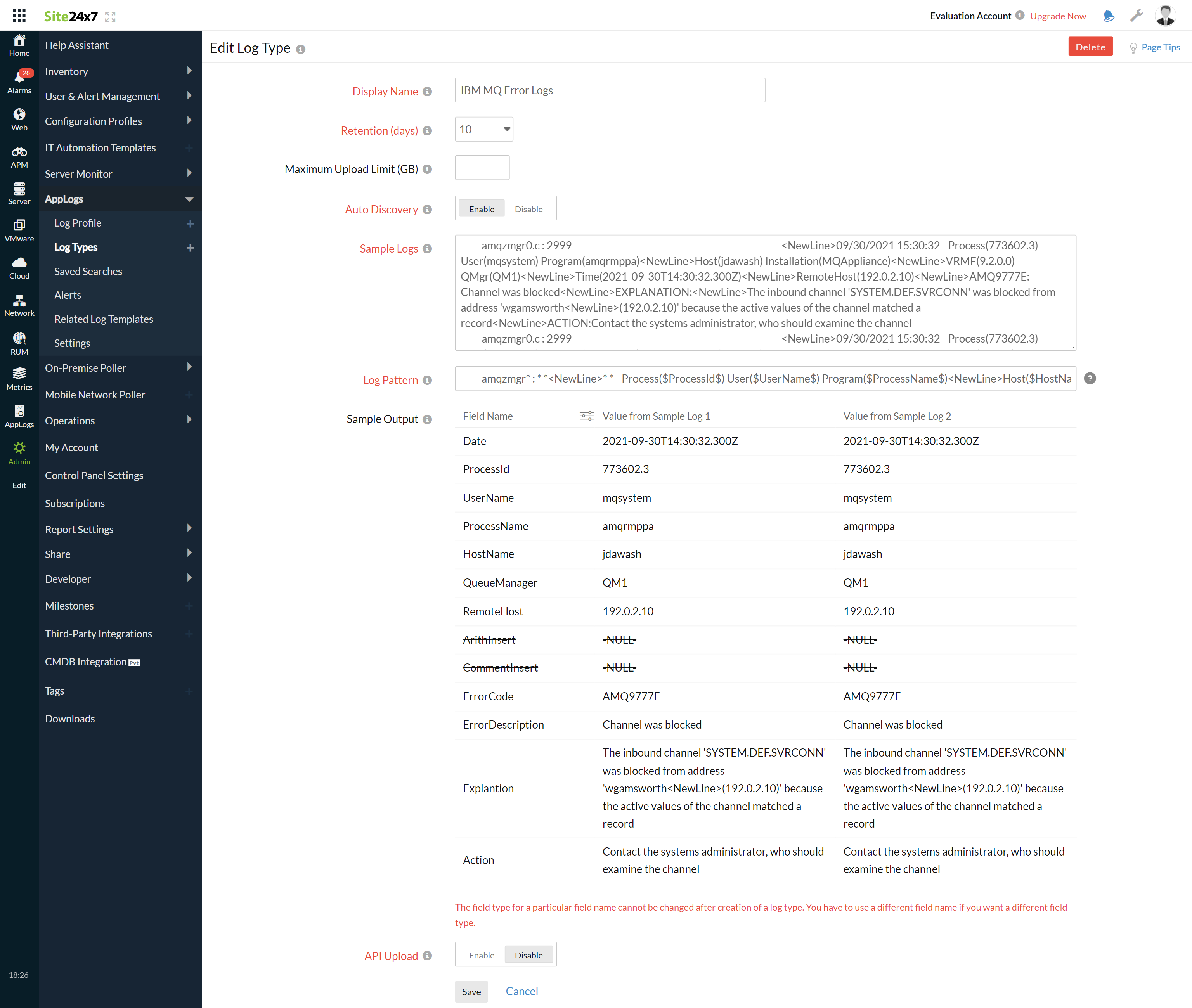
- 下方将显示示例日志和日志模式。
示例日志:
----- amqzmgr* : * *<NewLine>* * - Process( 773602.3 ) User( mqsystem ) Program( amqrmppa )<NewLine>Host( jdawash ) Installation(*)<NewLine>VRMF(*) QMgr( QM1 )<NewLine>Time( 2021-09-30T14:30:32.300Z )<NewLine>RemoteHost( 192.0.2.10 )!<NewLine>ArithInsert -NULL- !!<NewLine>CommentInsert -NULL- !<NewLine> AMQ9777E : Channel was blocked <NewLine>EXPLANATION:<NewLine> The inbound channel 'SYSTEM.DEF.SVRCONN' was blocked from address 'wgamsworth<NewLine>(192.0.2.10)' because the active values of the channel matched a record <NewLine>ACTION: Contact the systems administrator, who should examine the channel
----- amqzmgr* : * *<NewLine>* * - Process( 773602.3 ) User( mqsystem ) Program( amqrmppa )<NewLine>Host( jdawash ) Installation(*)<NewLine>VRMF(*) QMgr( QM1 )<NewLine>Time( 2021-09-30T14:30:32.300Z )<NewLine>RemoteHost( 192.0.2.10 )!<NewLine>ArithInsert -NULL- !!<NewLine>CommentInsert -NULL- !<NewLine> AMQ9777E : Channel was blocked <NewLine>EXPLANATION:<NewLine> The inbound channel 'SYSTEM.DEF.SVRCONN' was blocked from address 'wgamsworth<NewLine>(192.0.2.10)' because the active values of the channel matched a record <NewLine>ACTION: Contact the systems administrator, who should examine the channel
----- amqzmgr* : * *<NewLine>* * - Process( 773602.3 ) User( mqsystem ) Program( amqrmppa )<NewLine>Host( jdawash ) Installation(*)<NewLine>VRMF(*) QMgr( QM1 )<NewLine>Time( 2021-09-30T14:30:32.300Z )<NewLine>RemoteHost( 192.0.2.10 )!<NewLine>ArithInsert -NULL- !!<NewLine>CommentInsert -NULL- !<NewLine> AMQ9777E : Channel was blocked <NewLine>EXPLANATION:<NewLine> The inbound channel 'SYSTEM.DEF.SVRCONN' was blocked from address 'wgamsworth<NewLine>(192.0.2.10)' because the active values of the channel matched a record <NewLine>ACTION: Contact the systems administrator, who should examine the channel
这些日志被分成若干字段,每个字段取其对应的值,然后上传到 Site24x7。
- 以下是 AppLogs 为 IBM MQ 错误日志默认识别的日志模式:
----- amqzmgr* : * *<NewLine>* * - Process( $ProcessId$ ) User( $UserName$ ) Program( $ProcessName$ )<NewLine>Host( $HostName$ ) Installation(*)<NewLine>VRMF(*) QMgr( $QueueManager$ )<NewLine>Time( $Date:date$ )<NewLine>RemoteHost( $RemoteHost$ )!<NewLine>ArithInsert $ArithInsert:string-multiline$ !!<NewLine>CommentInsert $CommentInsert:string-multiline$ !<NewLine> $ErrorCode$ : $ErrorDescription$ <NewLine>EXPLANATION:<NewLine> $Explantion:string-multiline$ <NewLine>ACTION: $Action:string-multiline$ - 您可以添加自定义日志模式来替换默认模式。只需单击铅笔图标并指定您的模式即可。
6. 选择本地文件作为日志来源。
7. 默认情况下,以下路径用作文件来源:
Linux: /var/mqm/*.LOG*", "/var/mqm/qmgrs/*/*.LOG*"
- 如果您的来源路径与默认路径不同,请在"搜索日志的文件列表"字段中指定。
8. 选择监视器或监视器组来收集日志。
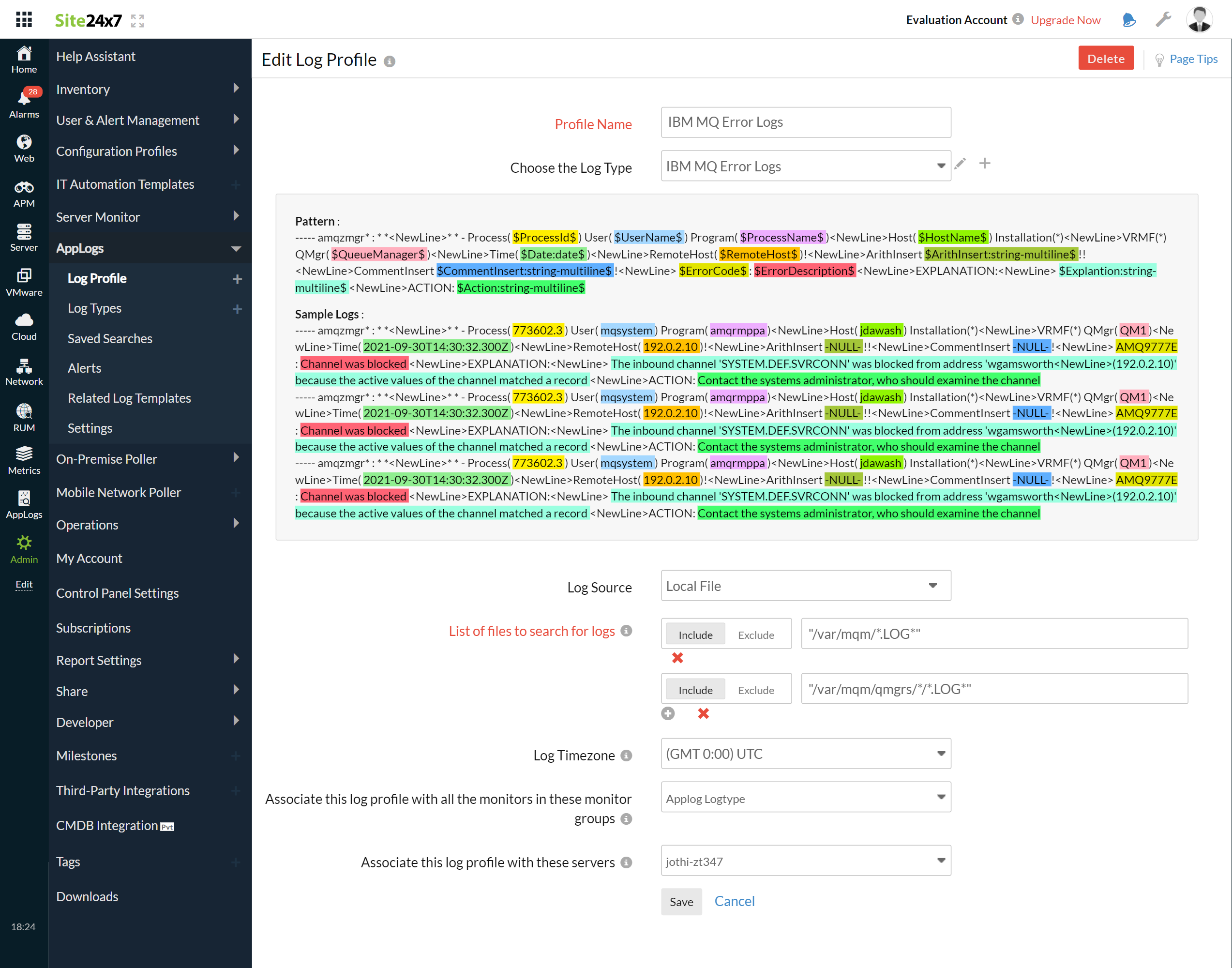
9. 单击保存。
仪表板
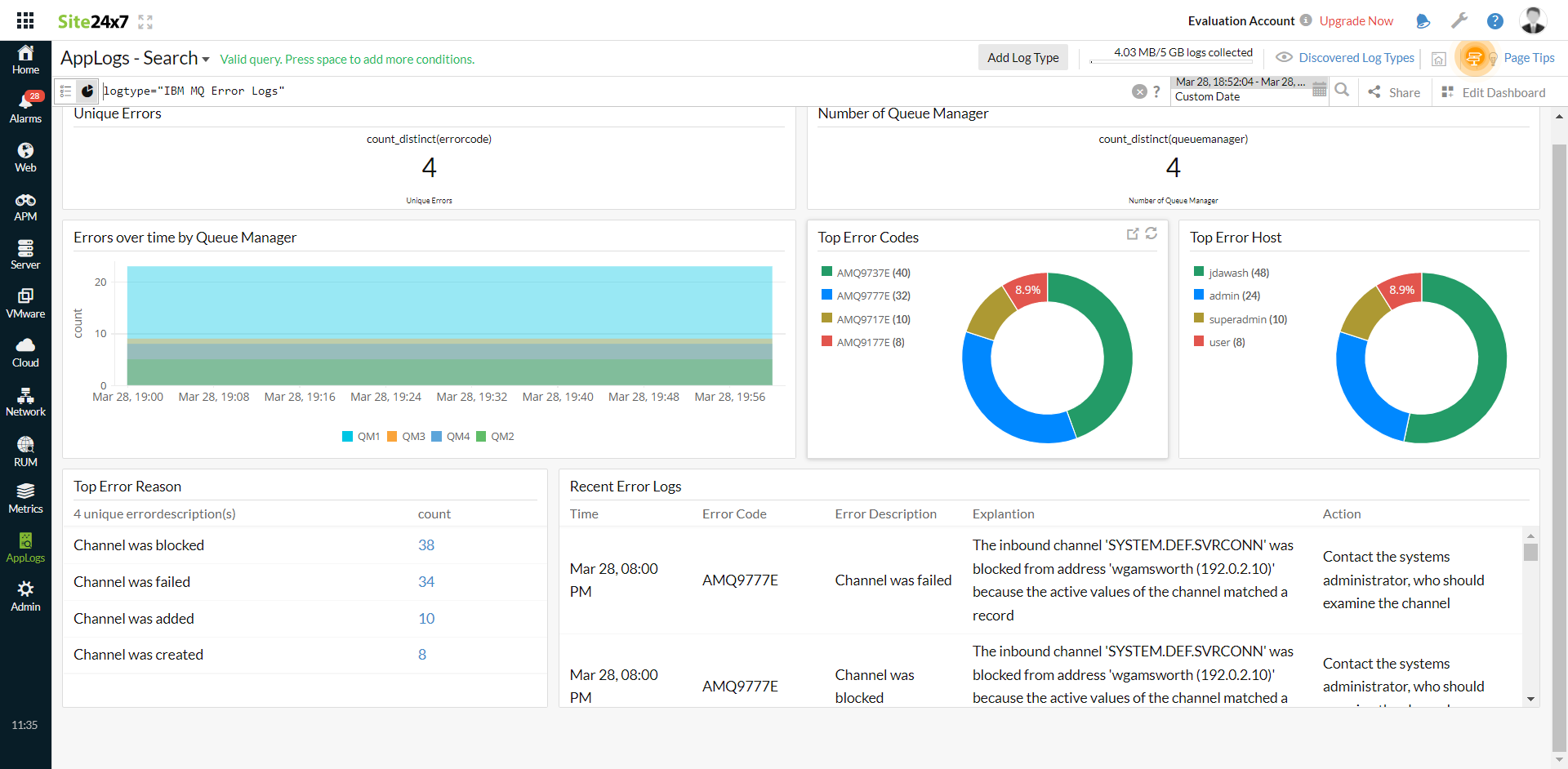
AppLogs 为每种日志类型创建一个专属仪表板,并默认显示若干小组件。以下是 IBM MQ 错误日志仪表板上可用的小组件列表:
- 唯一错误
- 队列管理器数量
- 按队列管理器统计的随时间变化的错误
- 热门错误代码
- 热门错误主机
- 热门错误原因
- 最近错误日志